 Plume
Plume
Plume vs Apple Journal: a thoughtful comparison
Apple Journal is free, beautifully designed, and now runs on iPhone, iPad, and the Mac. Plume is a paid app built around a daily reflective practice: structured prompts, Zen Mode, plain-text export you actually control, and AI you point wherever you like. Here's the honest comparison so you can pick the one your future self will actually open.
Pick Apple Journal if you want a zero-friction, free way to capture moments across your Apple devices, especially photo- and location-based ones, and you prefer an open-ended journal to preset daily reflection sections. Pick Plume if you want a real reflective ritual (Gratitude, Memory, Accomplishments, Journal), full-screen Zen writing, plain-text export over any date range, todos, choice of AI provider, and a calendar that visualizes your patterns over time.
Who each app is built for
- ✓A guided daily structure: Gratitude, Memory, Accomplishments, Journal
- ✓To journal on your Mac, not just iPhone or iPad
- ✓True distraction-free writing (Zen Mode, 4 themes, serif fonts, markdown)
- ✓To bring your own AI key (OpenAI, Claude, Gemini, Grok, Mistral)
- ✓Date-linked todos that live alongside your daily entry
- ✓A color-coded calendar showing your gratitude / memory / accomplishment streaks
- ✓Markdown, word counts, and writing analytics
- ●A completely free journaling app pre-installed on iPhone
- ●Smart Suggestions powered by on-device intelligence (photos, places, workouts)
- ●The lightest possible setup, with nothing to download or configure
- ●To stay entirely within Apple's first-party apps
- ●To capture moments tied to a photo or a location, not a daily ritual
- ●You don't need plain-text export, calendar visualization, or markdown
Feature-by-feature comparison
Apple Journal launched with iOS 17.2 in late 2023 and has been refined since, but it's still intentionally minimal. Here's where it stops and where Plume picks up.
| Feature | Plume | Apple Journal |
|---|---|---|
| Price | 21-day free trial · $19.99/yr or $59.99 lifetime | Free (built into iOS, iPadOS and macOS) |
| Mac app | Native macOS app | Yes, since macOS 26 (2025) |
| iPad app | Native iPad app | Native iPad app (added in iPadOS 26) |
| iPhone app | Native iPhone app | Native iPhone app |
| Daily structure | Built-in: Gratitude, Memory, Accomplishments, Journal | Free-form entries with optional smart Suggestions |
| Distraction-free mode | Zen Mode: full-screen, 4 themes, 4 serif fonts, live markdown | No dedicated focus mode |
| Markdown | Live markdown highlighting | Basic rich text only |
| AI | Bring-your-own-key: OpenAI, Claude, Gemini, Grok, Mistral | None (Smart Suggestions are content prompts, not generative AI) |
| Smart suggestions | Daily prompts in each section | On-device suggestions from photos, places, workouts, music |
| Privacy | Local-first SQLite. No account. iCloud sync only. | On-device + iCloud, end-to-end encrypted |
| Media attachments | Images in journal entries | Photos, video, audio, location |
| Multiple journals | One unified daily journal | Multiple journals (added in later iOS releases) |
| Calendar / visual history | Color-coded calendar with type filters | Simple chronological timeline |
| Search | Full-text search across all entries | Basic search |
| Todos / task management | Date-linked todos in every entry | Not included |
| Export | Encrypted .plume backup + plain-text copy to clipboard |
Export and PDF printing |
| Writing analytics | Word counts, streaks, Explore dashboard | Streaks and Insights |
| Lock / biometric | Face ID / Touch ID / passcode | Face ID / Touch ID / passcode |
Six things Apple Journal doesn't do
Apple Journal is gorgeous and free, and that's exactly why this matters: knowing where it stops helps you decide whether you'll outgrow it.
1. Compare the export workflow
Apple Journal supports exporting entries and saving PDFs. Plume lets you select a date range and copy selected sections as plain text. Try each export workflow with the app or tool you plan to use next.
2. No structured daily prompts
Apple Journal's Suggestions are reactive: "you took this photo, you went for this walk." Plume's structure is intentional: every day asks you for one gratitude, one memory, and one accomplishment. The difference between recap and reflection.
3. No real distraction-free mode
Apple Journal keeps the chrome around your writing. Plume's Zen Mode hides everything: one warm canvas, your choice of serif typography, and live markdown rendering. Writing here genuinely feels different.
4. No AI integration
Apple Journal has no generative AI. Plume lets you bring your own key from any major provider. Improve your language, summarize a long entry, or highlight passages worth keeping. Your key, your provider, your data.
5. No visual calendar
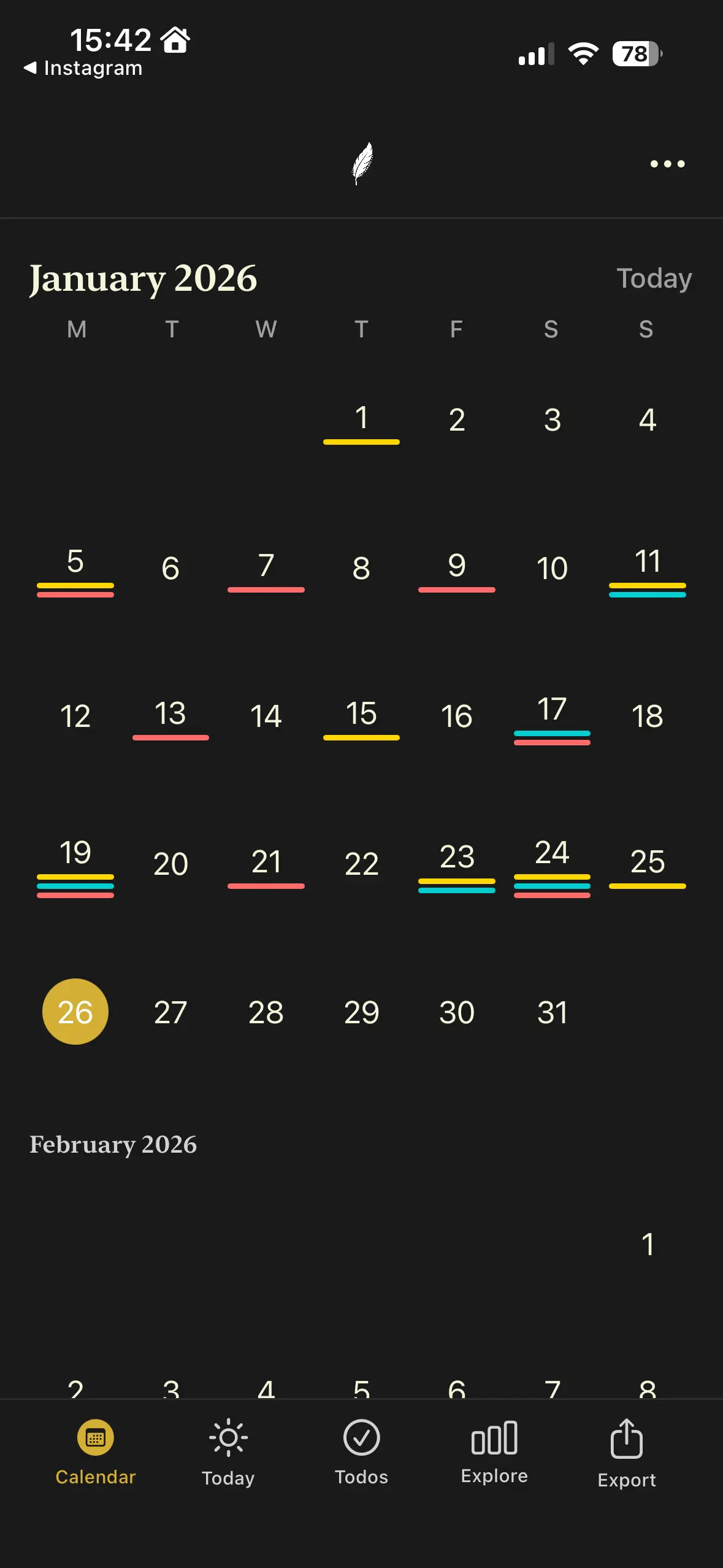
Apple Journal scrolls as a timeline. Plume gives you a calendar with color-coded dots showing which days held a gratitude, a memory, or an accomplishment. Patterns become visible, which is half the point of journaling.
6. No todos
Reflection and planning belong together. Plume's date-linked todos let you capture a task without leaving your journal entry. Apple Journal sends you back to Reminders.
The honest case for Apple Journal
Apple Journal is free. It's already on your phone. The Suggestions feature is genuinely clever, tying photos, locations, workouts, and music into prompts no third-party app can match because it taps on-device intelligence the system reserves for first-party apps.
If your journaling style is "open the app once a week and write about a few photos," Apple Journal might be all you need. There's no shame in that. It's a beautiful capture tool.
Where it falls short is as a daily practice. The structure that makes journaling actually change how you feel (gratitude, memory, accomplishment, repeated daily) isn't there. And if you spend most of your reflective time at a Mac, Apple Journal isn't an option at all.
What Plume looks like on Apple devices
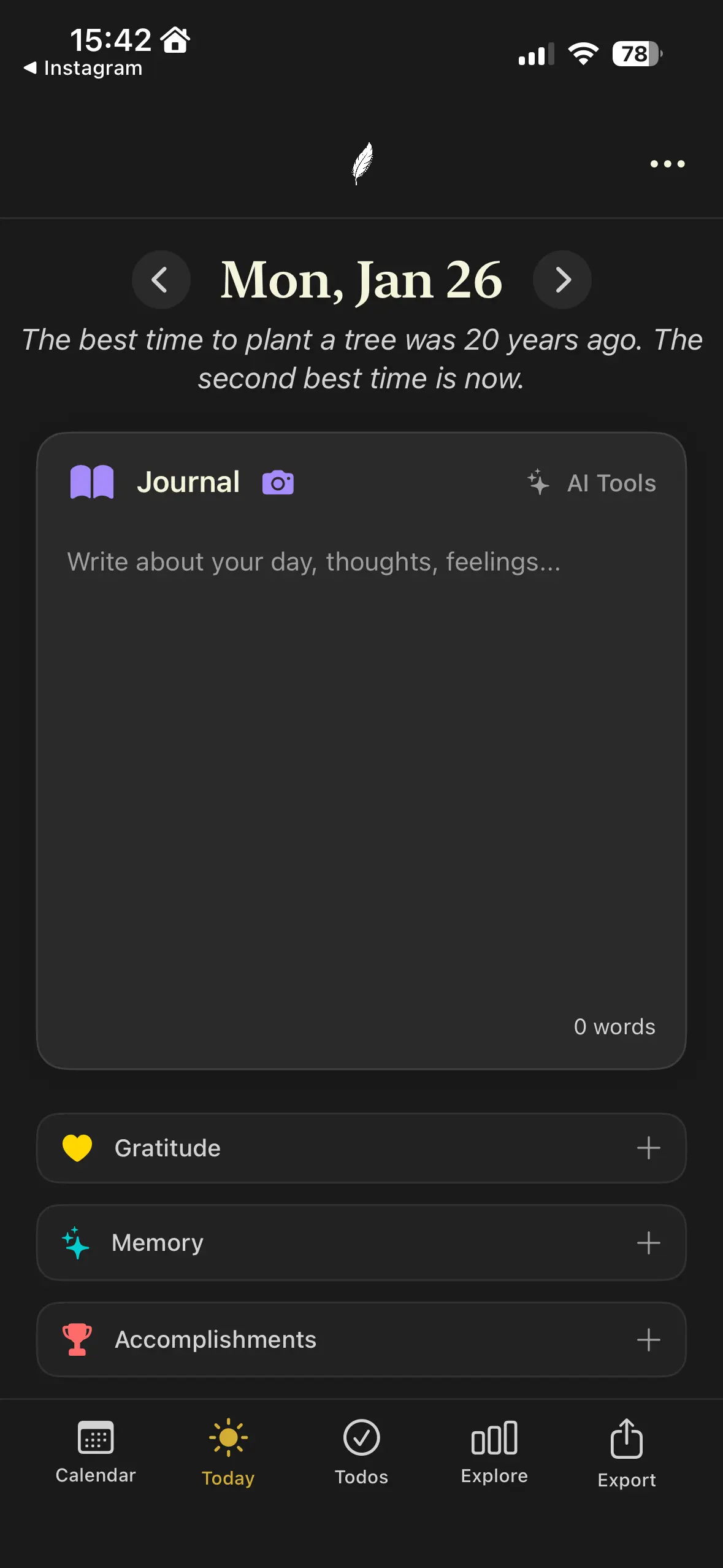
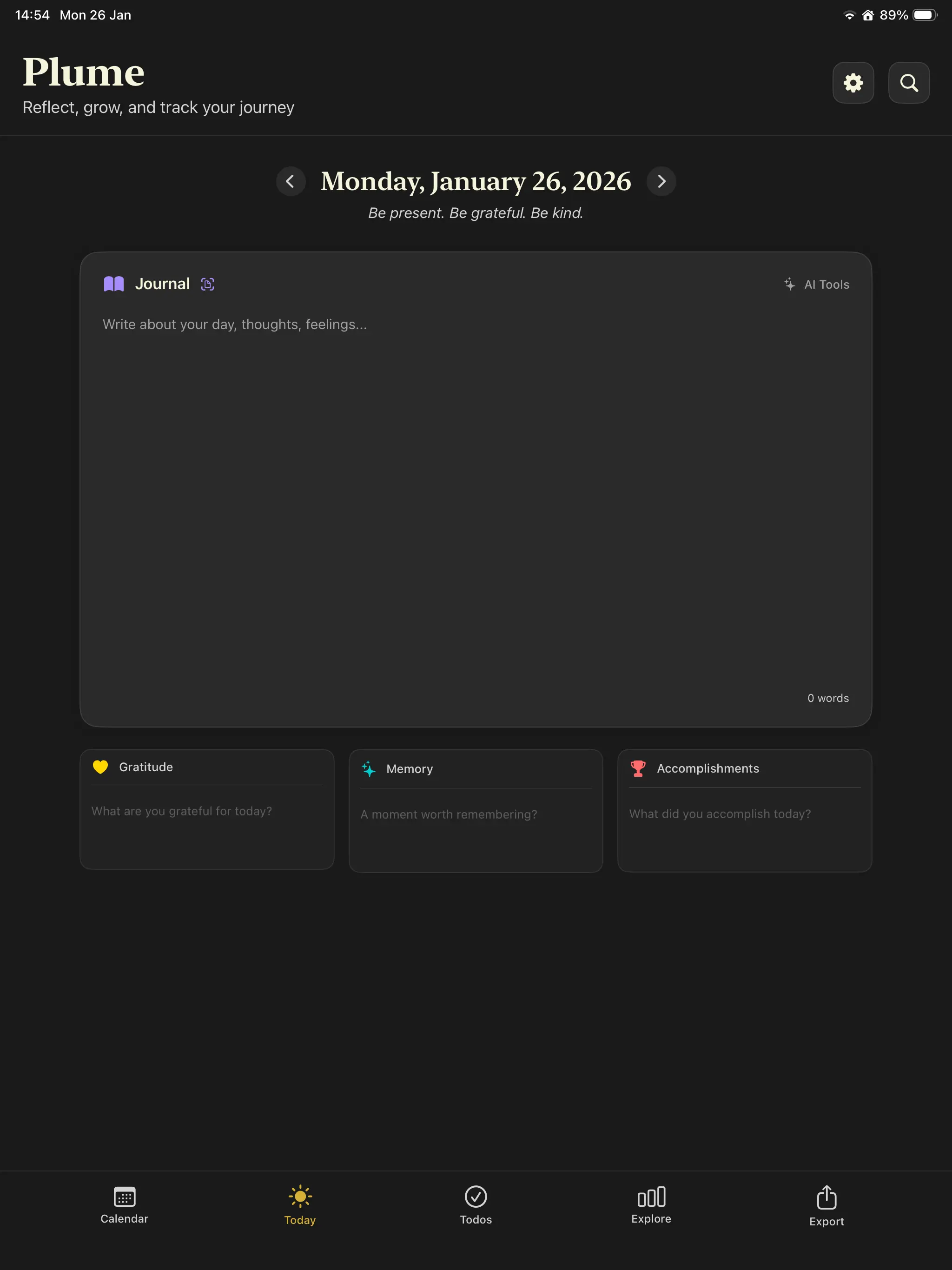
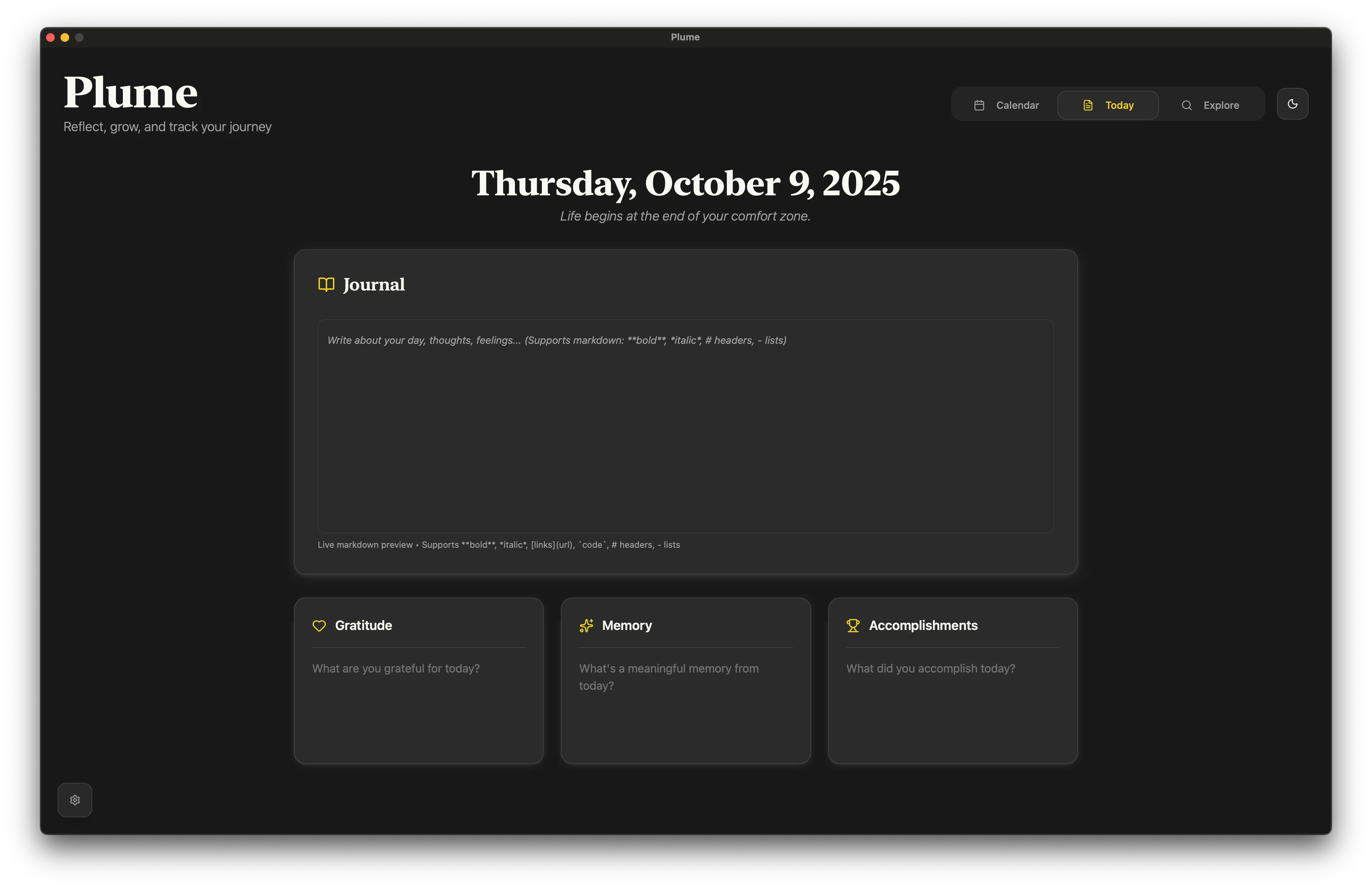
Native on Mac, iPad, and iPhone. Same design language Apple Journal users will feel at home with, plus the structure they're missing.
What Plume costs (vs free)
Apple Journal is free, and Plume is not. So Plume starts with a real trial instead of a demo: every feature unlocked for 21 writing days, no account and no card, and only the days you actually write count.
Frequently asked questions
Is Apple Journal really free?
Yes. It's bundled with iOS, iPadOS and macOS at no cost. There are no in-app purchases or premium tiers.
Does Apple Journal have a Mac app?
Yes. Apple Journal launched as an iPhone-only app with iOS 17.2 in 2023, came to iPad with iPadOS 26, and arrived on the Mac with macOS 26 in 2025. Plume is also a native Mac app and syncs to iPhone and iPad via iCloud; the difference between them is no longer platform coverage but structure, plain-text export, and choice of AI provider.
Can I use Plume and Apple Journal together?
Absolutely. Many people use Apple Journal as a casual capture tool tied to photos and places, and Plume as their structured daily reflection space. They serve different purposes.
How do Apple Journal's Suggestions work?
Apple Journal uses on-device intelligence to suggest moments worth writing about: recent photos, places you visited, workouts, music you listened to. It's reactive: it shows you what you did. Plume's prompts are intentional: they ask what you're grateful for, what you accomplished, and what you want to remember.
Is Apple Journal more private than Plume?
Both are strong on privacy. Apple Journal stores entries on-device and in iCloud with end-to-end encryption. Plume is local-first SQLite with optional iCloud sync, requires no account, and does not route sync through Plume servers; iCloud sync uses Apple infrastructure. They're effectively peers on privacy. Both stay inside Apple's ecosystem.
Can I import my Apple Journal entries into Plume?
Apple Journal supports a basic export. Plume can import structured entries. If you want to migrate, contact us and we'll help you walk through it.
Does Plume work on Android or Windows?
Not currently. Both Plume and Apple Journal are Apple-ecosystem only. If you need Android or Web, look at Day One instead.
Will Apple Journal eventually add structured prompts and a Mac app?
It might. Apple's first-party apps tend to grow over time. But Plume is shipping that experience today, on Mac, with Zen Mode, AI, and a calendar view that Apple Journal doesn't have.
Try Plume free, no account required
Download Plume on your Mac, iPad, or iPhone. Write today's gratitude, memory, and accomplishment, and feel the difference a structured ritual makes.