 Plume
Plume
Plume vs Day One: which journal app is right for you?
Both Plume and Day One are excellent journaling apps for Apple users, but they're built for different kinds of writers. This is an honest, side-by-side breakdown of how they compare on writing experience, structure, privacy, AI, and pricing, so you can pick the one that actually fits your practice.
Pick Plume if you want a calm, structured daily practice (gratitude, memories, accomplishments, free-form journal), a true distraction-free writing mode, choice of AI provider, and a one-time lifetime price instead of a recurring subscription. Pick Day One if you want rich media (photos, audio, video, location, weather metadata), a longer feature history, and you don't mind paying $49.99/year forever for it.
Who each app is built for
- ✓A guided daily structure (Gratitude / Memory / Accomplishments / Journal), not a blank page
- ✓A true Zen Mode: full-screen, no toolbars, with live markdown highlighting
- ✓To pay once ($59.99 lifetime) instead of subscribing forever
- ✓To keep your journal local-first: no account, no third-party servers
- ✓To bring your own AI key (OpenAI, Claude, Gemini, Grok, Mistral)
- ✓Integrated todos that live alongside your daily entry
- ●A media-rich timeline with photos, video, audio recordings, and PDF imports
- ●Multiple separate journals (work, gratitude, travel) with their own colors
- ●Automatic metadata: weather, location, step count, music playing
- ●Cross-platform sync that includes Android and Web
- ●Print-on-demand "Day One Books" of your entries
- ●A long, established track record (acquired by Automattic in 2021)
Feature-by-feature comparison
Where the two apps actually differ. We've kept this honest. If Day One does something better, we say so.
| Feature | Plume | Day One |
|---|---|---|
| Pricing | $19.99/yr or $59.99 lifetime | $49.99/yr subscription (no lifetime tier) |
| Free trial | 21 writing days, everything unlocked, then read-only | Free tier: one journal, limited entries, no premium features |
| Distraction-free mode | Zen Mode: full-screen, 4 themes, 4 serif fonts, live markdown | Focus mode hides sidebar; toolbar remains visible |
| Daily structure | Built-in: Gratitude, Memory, Accomplishments, Journal | Blank page with optional templates you apply manually |
| Markdown | Live highlighting (renders as you type) | Markdown supported but no live preview in editor |
| AI | Bring-your-own-key: OpenAI, Claude, Gemini, Grok, Mistral | Built-in AI tied to Day One's provider; no model choice |
| Privacy model | Local-first SQLite. iCloud-only sync. No account. | Local + sync via Day One's servers. Account required. |
| End-to-end encryption | Yes (data never leaves Apple ecosystem) | Yes (optional, on premium) |
| Media attachments | Images in journal entries | Photos, video, audio, PDF, sketches |
| Auto metadata | Date and word count | Weather, location, music, step count, activity |
| Multiple journals | One unified daily journal | Unlimited separate journals |
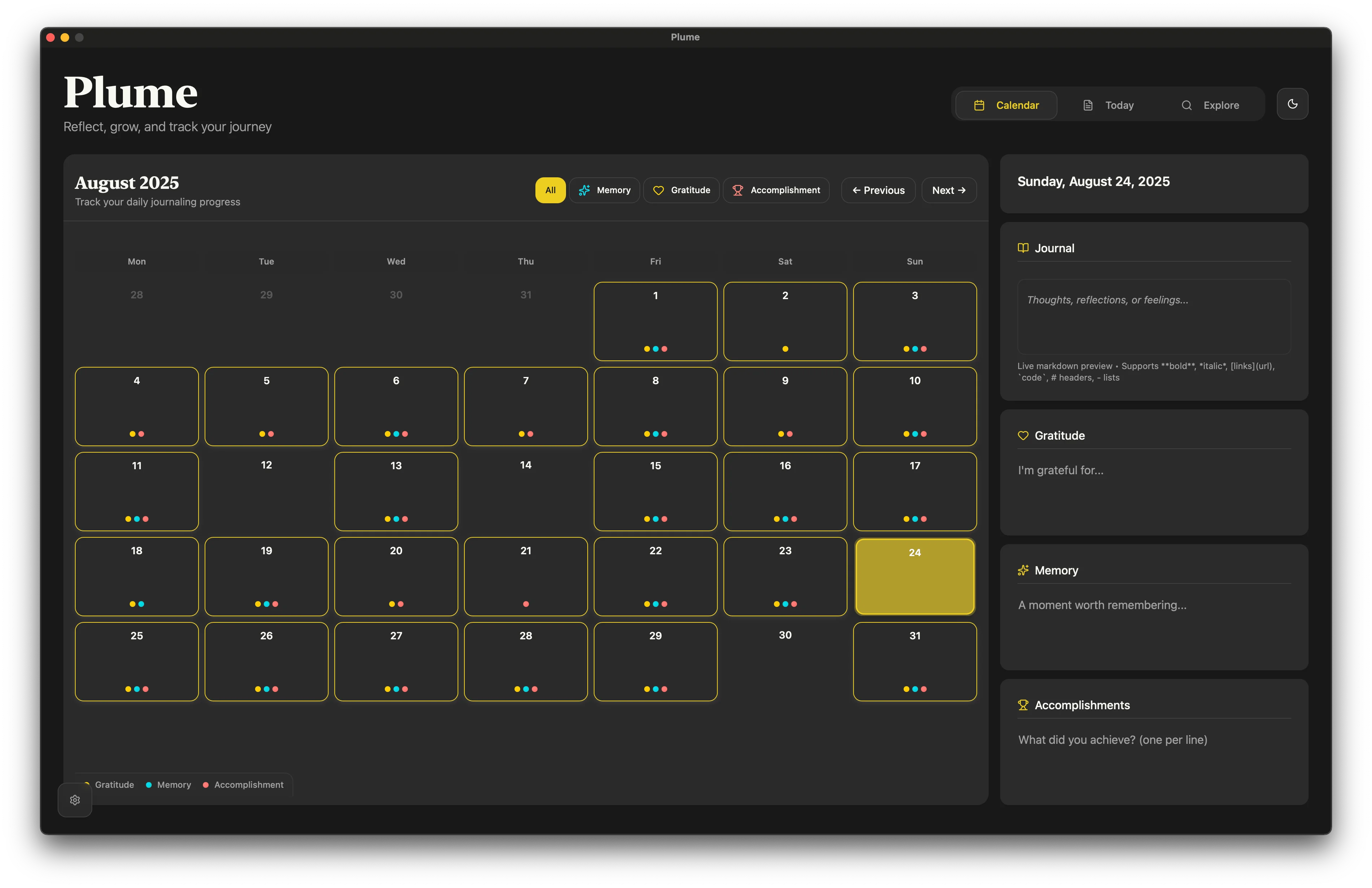
| Calendar / visual history | Color-coded calendar with entry-type filters | Calendar view + on this day reminders |
| Todos / task management | Date-linked todos in every entry | Not included (pure journaling app) |
| Platforms | macOS, iPadOS, iOS | macOS, iPadOS, iOS, Android, Web |
| Export formats | Encrypted .plume backup + plain-text copy to clipboard |
PDF, plain text, JSON, printed books |
| Account required | No | Yes (Day One account) |
Where Plume pulls ahead
These are the differences that show up in your daily practice, not the marketing-page bullet points.
A real distraction-free mode
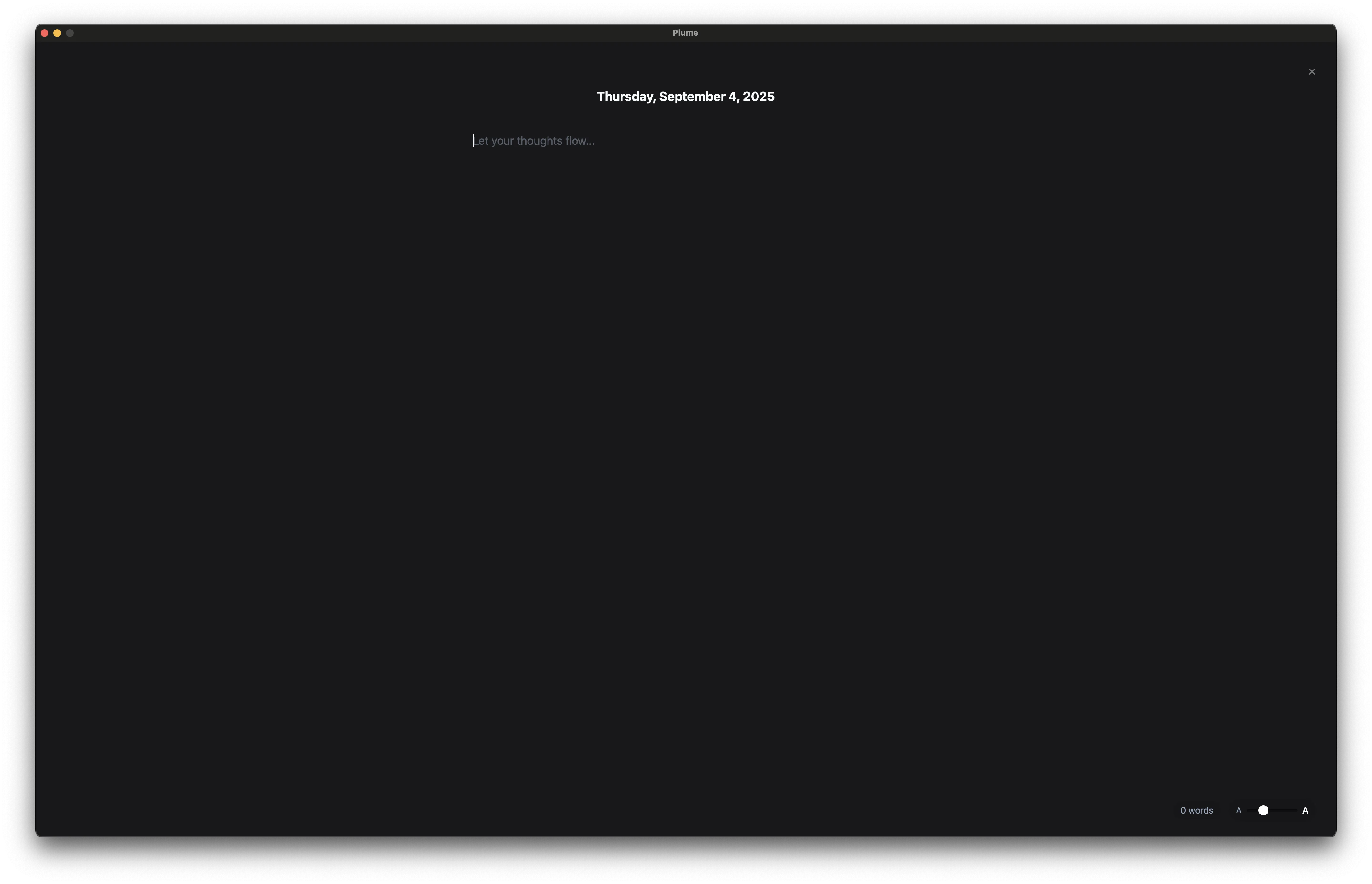
Zen Mode is the whole screen, four warm ambient themes, serif typography you can size up to 32pt, and live markdown that renders as you type. Day One's "focus mode" still leaves the toolbar in your peripheral vision.
Structure, not a blank page
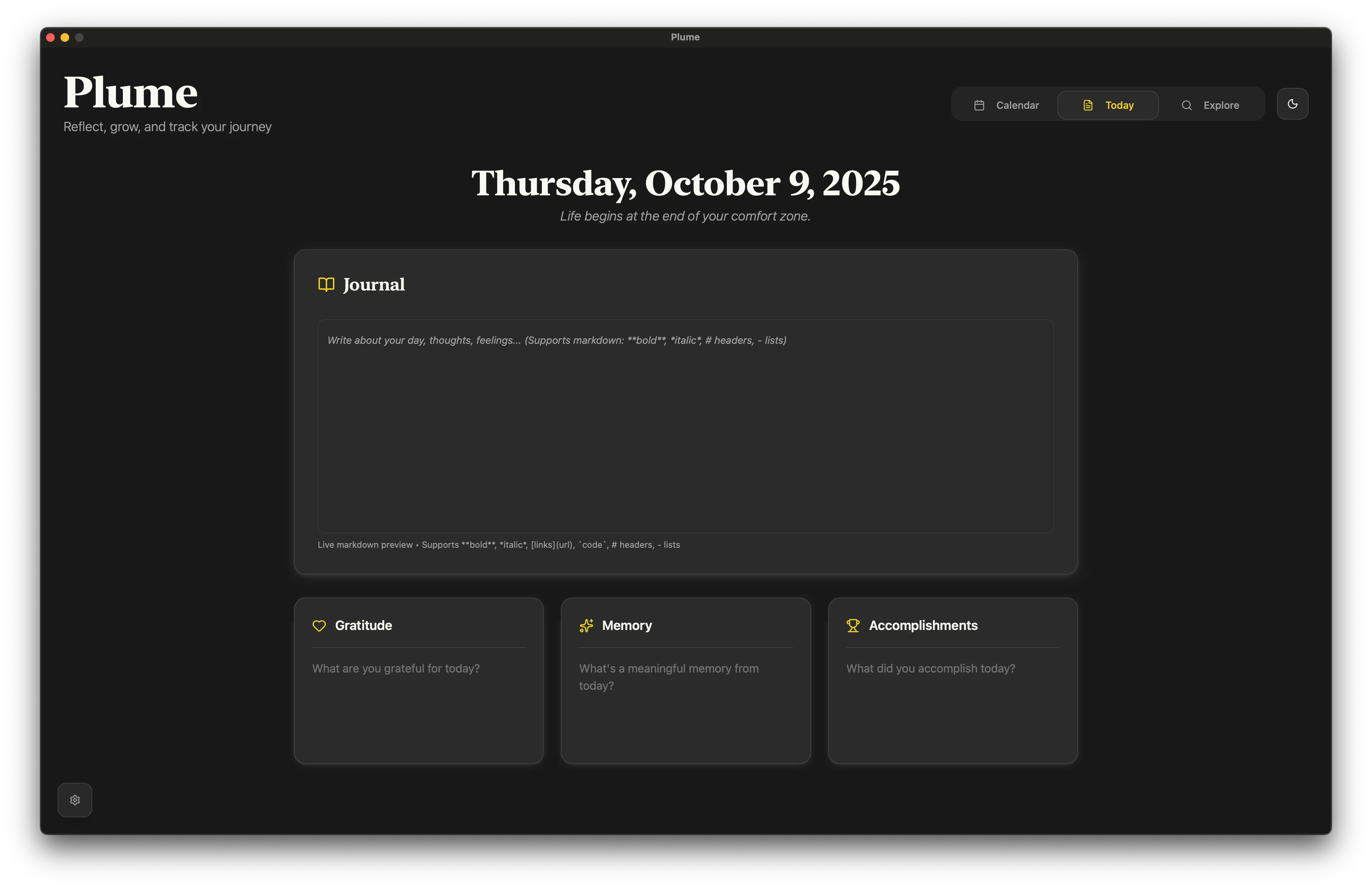
Three short prompts (Gratitude, Memory, Accomplishments) plus a long-form Journal section. You'll write more on the days you don't feel like writing, which is exactly when journaling matters.
Buy it once
$59.99 lifetime vs Day One's $49.99/year. After 18 months, Plume Lifetime is cheaper than a single year of Day One Premium, and it never increases.
No account, no third-party servers
Plume stores entries in a local SQLite database. Sync uses iCloud directly. Day One requires an account and routes sync through its own servers, with their own analytics and telemetry.
Choose your AI
Plug in your own API key from OpenAI, Anthropic Claude, Google Gemini, xAI Grok, or Mistral. Day One's AI is locked to its own provider with no model choice.
Todos live with the entry
Capture a task without leaving Zen Mode. Each todo is linked to a date, so reflection and planning happen in the same place. Day One has no task system at all.
Where Day One pulls ahead
Honesty matters. Day One is a mature product, and there are things it does better than Plume today.
Rich media
Photos, video, audio recordings, PDFs, sketches. If your journaling style is photo-heavy or scrapbook-like, Day One is built for it.
Cross-platform reach
Day One runs on Android and the web in addition to Apple devices. Plume is currently Apple-only.
Automatic metadata
Weather, location, music playing, step count, activity. Looking back, this context can make entries feel like a more complete time capsule.
Multiple journals
Separate work, travel, dream, and gratitude journals with their own colors. Plume keeps everything unified by date.
Printed books
"Day One Books" turn entries into a printed, hardcover book. There's nothing like it in Plume.
Maturity
Day One has been around since 2011. It's a known, stable product. Plume is newer and ships fast, but you're choosing earlier in the curve.
Pricing: the long-term math
Both start free. Plume gives you 21 writing days with every feature unlocked, and only the days you actually write count. After three years, Day One Premium has cost $150. Plume Lifetime has cost $59.99. Once.
See Plume's writing experience
The thing screenshots actually show: how calm the daily writing surface feels.
Switching from Day One?
You can export your Day One journals as JSON or plain text from Settings → Import / Export → Export. Plume can import structured entries, and we're happy to help if you have a large archive. Reach out and we'll walk you through it.
The most important thing: you don't have to commit. Plume is free for 21 writing days. Try Zen Mode for a week alongside Day One and see which one you actually open.
Frequently asked questions
Is Plume cheaper than Day One?
Yes, significantly. Plume Yearly is $19.99/yr (about 60% less than Day One's $49.99/yr). Plume also offers a $59.99 one-time lifetime purchase, which Day One does not. Day One Premium is subscription-only.
Does Plume work on iPhone and iPad?
Yes. Plume is a native universal app for macOS, iPadOS, and iOS. Sync is via iCloud and works across all your Apple devices automatically.
Does Plume work on Android or Windows?
Not currently. If cross-platform reach matters to you (Android or Web), Day One is the better choice today.
Can I import my Day One entries into Plume?
You can export from Day One as JSON or plain text. Plume supports importing structured entries. If you have a large archive, contact us and we'll help you migrate cleanly.
Is Plume more private than Day One?
Plume is local-first. Entries live in a local database on your device. Sync goes through iCloud (Apple's infrastructure), not third-party servers. No account is required. Day One stores locally and offers end-to-end encryption, but sync routes through its own servers and an account is required.
Does Plume have AI features?
Yes. Plume uses a bring-your-own-key model: plug in an API key from OpenAI, Anthropic Claude, Google Gemini, xAI Grok, or Mistral. You can improve language, summarize entries, or highlight passages. Your data goes directly from your device to the provider you choose. No middleman.
Can I attach photos and audio like in Day One?
Plume supports images in journal entries. Day One supports a richer set of media (audio, video, PDF, sketches, location, weather metadata). If your journaling is media-heavy, Day One is the better fit.
What about end-of-year reviews and "on this day" reminders?
Plume has a calendar view with color-coded entry filters and an Explore dashboard with writing analytics. Day One has dedicated "On This Day" reminders and yearly review features. Plume's set is growing. If those reminders are important, Day One has more polish here today.
Try Plume free. No account, no credit card
Download Plume, write today's entry, spend five minutes in Zen Mode, and decide for yourself. The whole point is that journaling should feel quiet.