 Plume
Plume
Your journal should feel like a quiet room, not a busy app
Day One is powerful. But power without calm creates noise. Plume strips journaling back to what matters: a peaceful space for your thoughts, structured prompts that guide reflection, and privacy that never compromises. No clutter. No distractions. Just you and the page.
Why journalers are looking for something calmer
Day One pioneered digital journaling. But as features piled on, many users found the experience drifting away from what drew them in: the simple act of writing.
Too many panels, too much UI
Sidebars, toolbars, media panels, metadata drawers. When you open your journal to reflect, you want a blank page, not a dashboard.
Recurring subscription fatigue
Paying monthly for a journal feels wrong. Your thoughts shouldn't have an expiration date tied to a billing cycle.
Privacy concerns with cloud storage
Your most personal thoughts live on someone else's servers. That nagging feeling never quite goes away.
No structure for daily reflection
A blank entry is freedom. But without any guidance, many people stare at the cursor and write nothing.
Feature overload creates friction
Photo attachments, audio recordings, check-ins, weather, location, tags, templates. Every feature is a small decision that pulls you away from writing.
Tasks and journaling live apart
Reflection and planning go hand-in-hand. But in most journal apps, you need a separate tool for tasks. That breaks the flow.
Zen Mode: writing the way it should feel
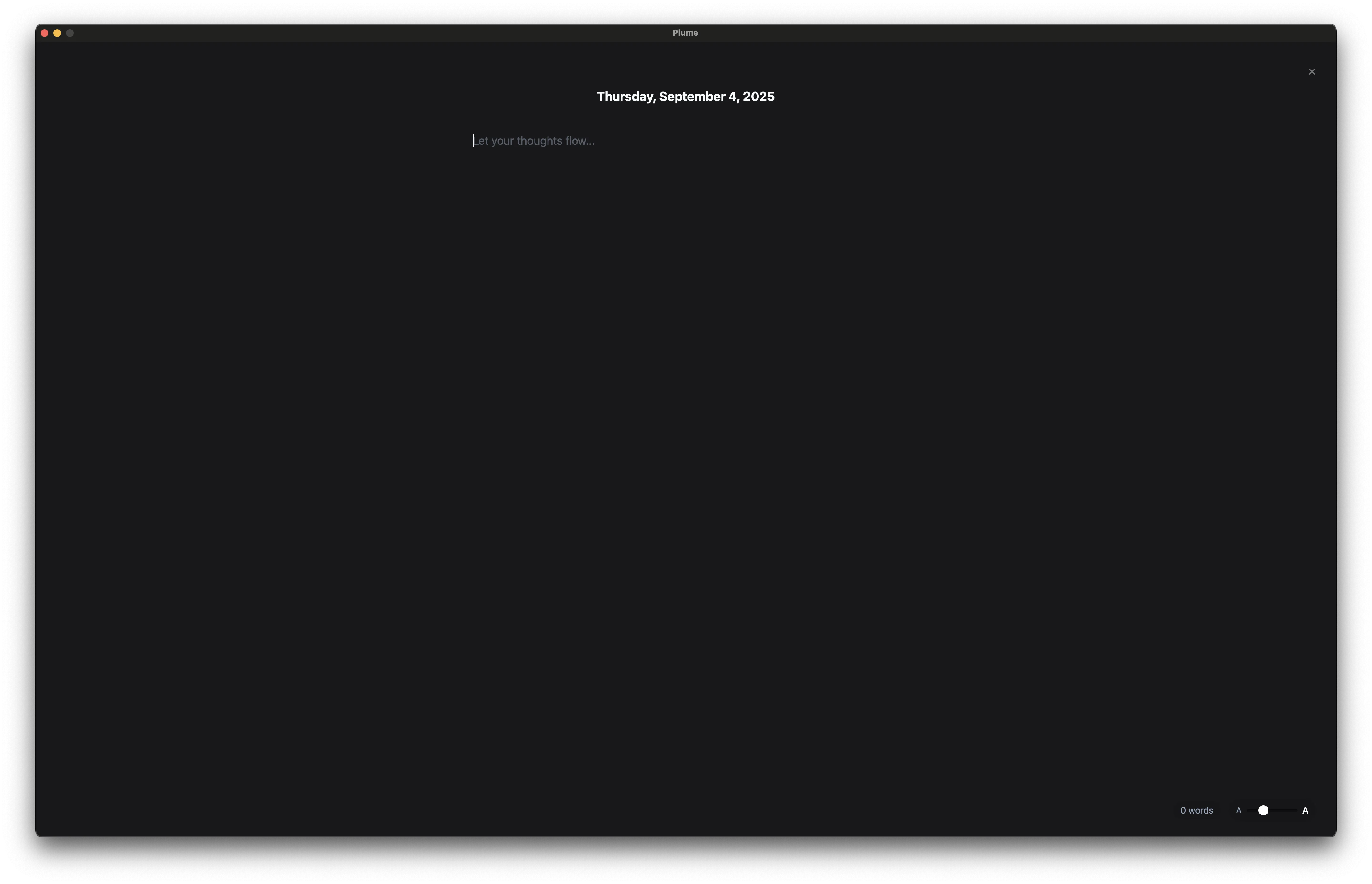
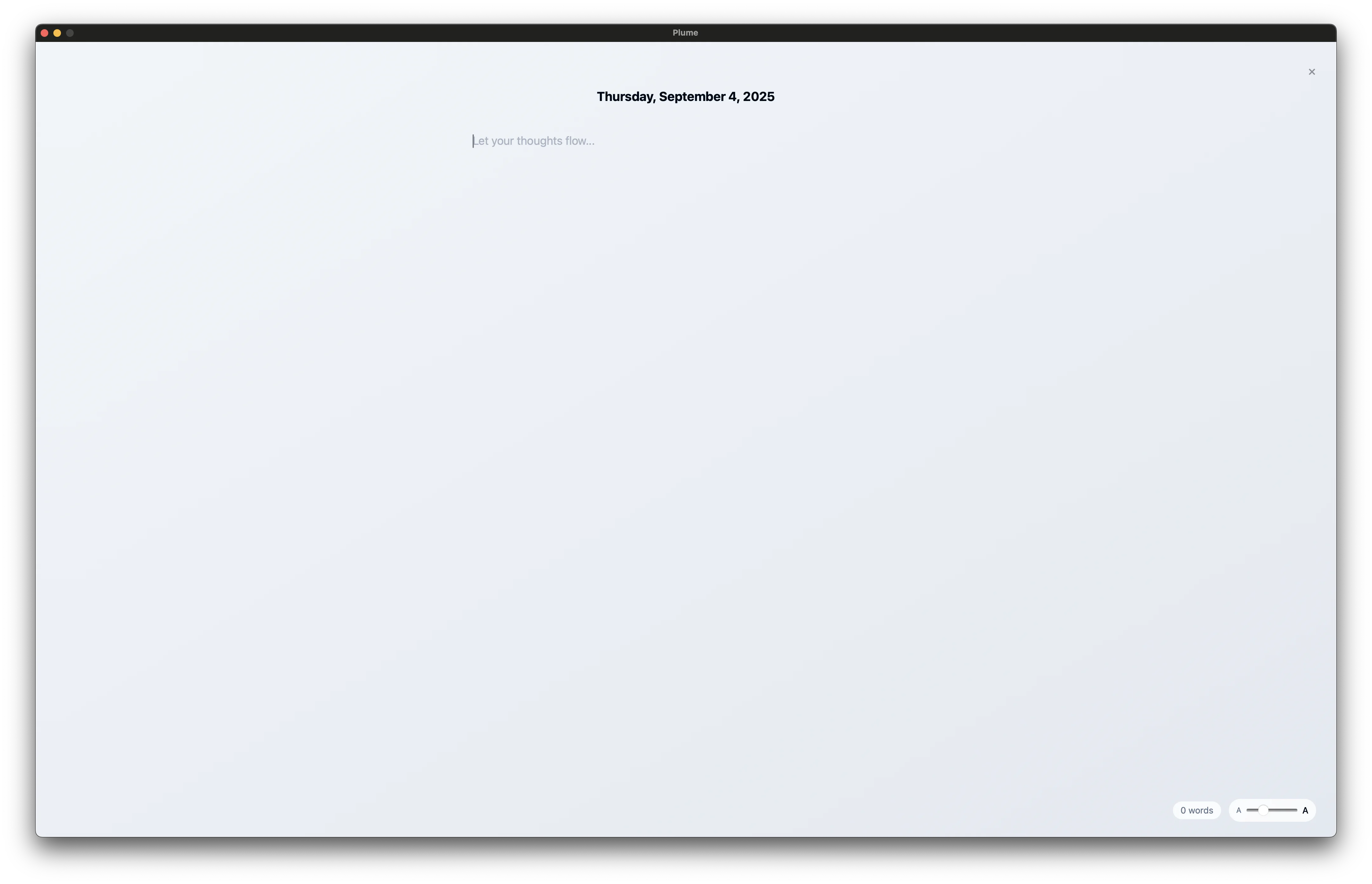
Enter Zen Mode and everything else disappears. No chrome, no menus, no distractions. Just your words on a warm, carefully designed canvas that makes writing feel meditative.
- ✓ Live markdown highlighting: headers, bold, italic, blockquotes, and code render as you type
- ✓ 4 ambient themes: warm black, charcoal, deep purple, or warm brown backgrounds
- ✓ Professional typography: Georgia, Palatino, Hoefler Text, or system font at 14–32pt
- ✓ Quick todo capture: jot down a task without leaving your writing flow
- ✓ AI tools inline: improve language, summarize, or highlight important passages
Today reminded me that small moments carry the most weight. The way morning light fell through the kitchen window. A stranger who held the door and smiled like they meant it.
I spent too long worrying about things I can't control. Tomorrow I want to let go sooner and be more present with the people around me.
Structure that guides, not restricts
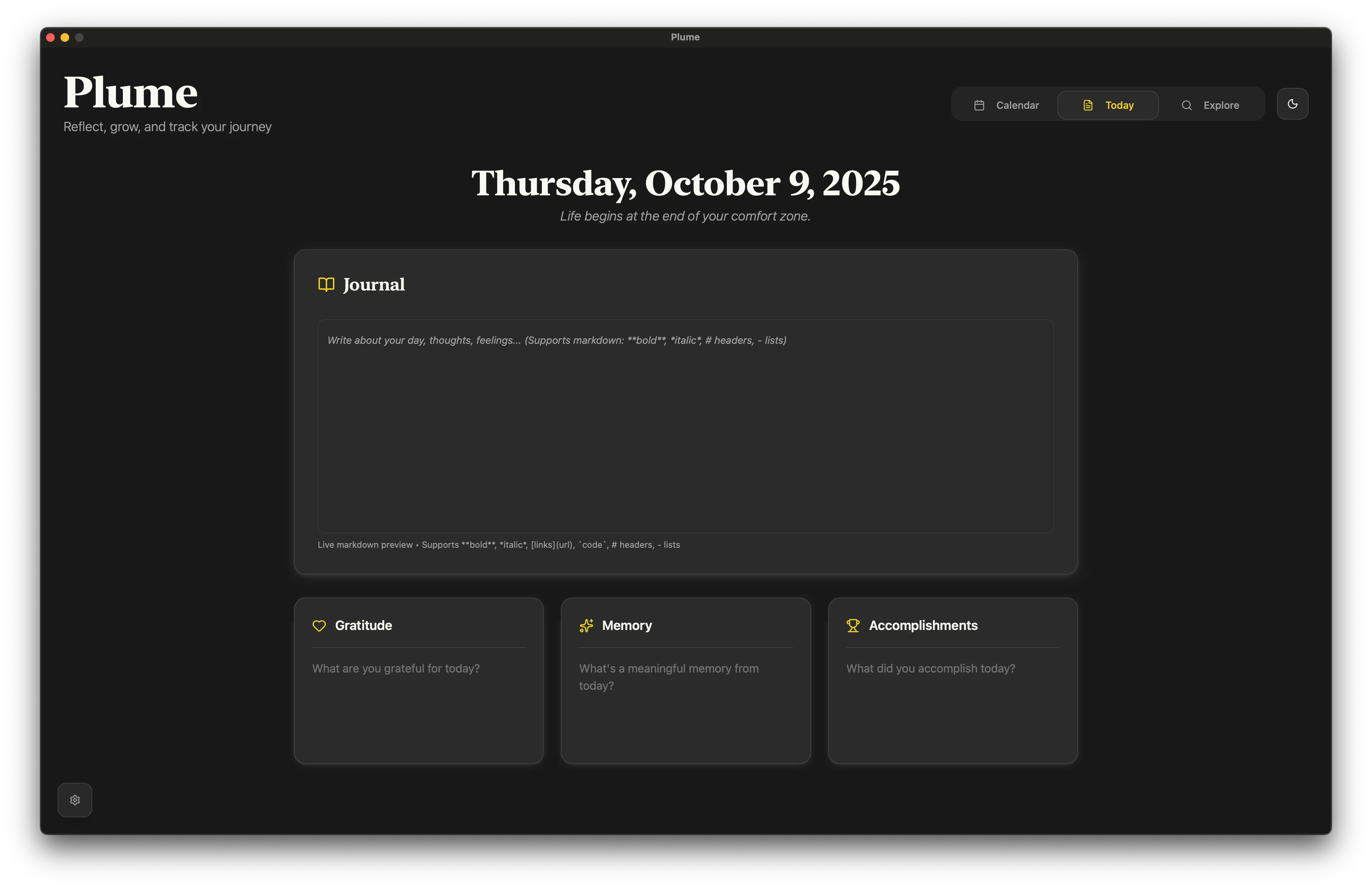
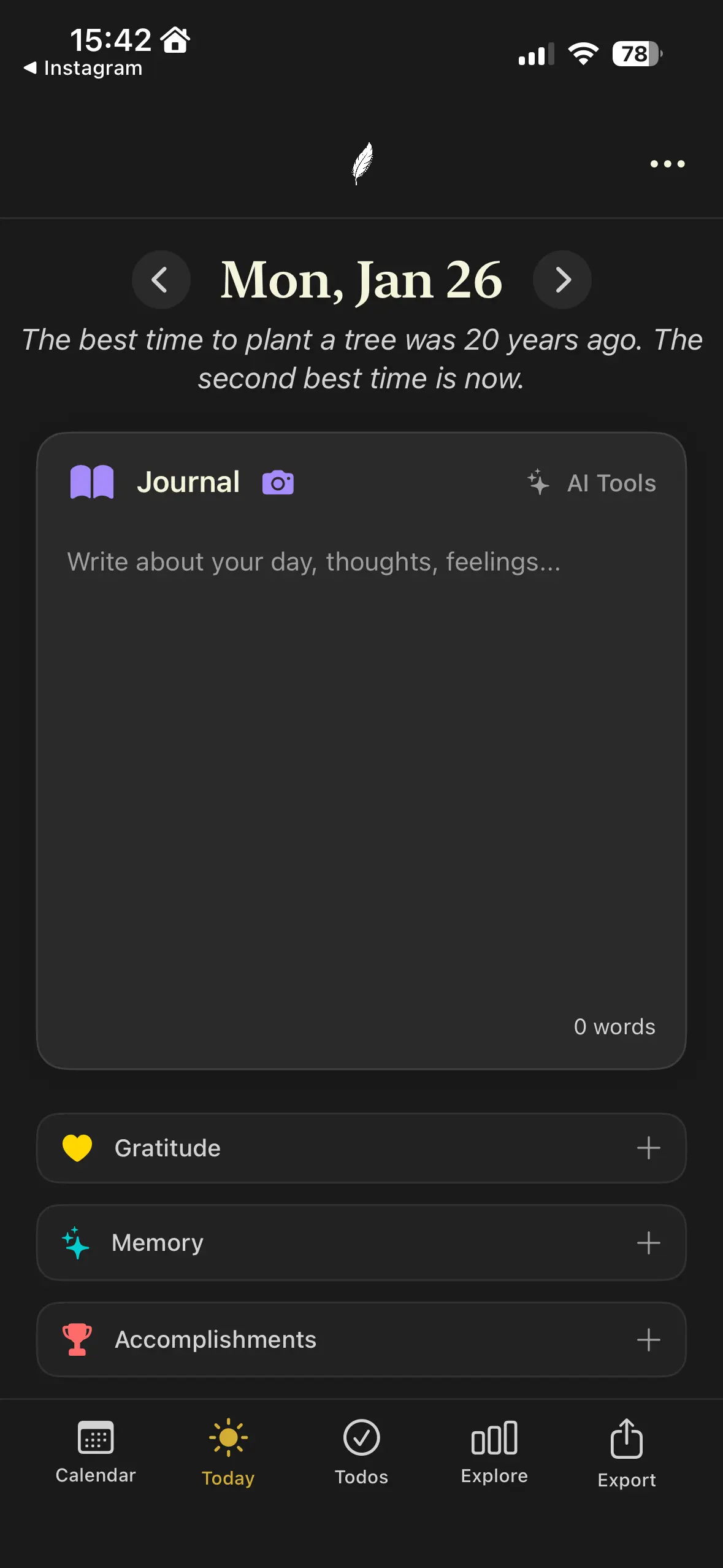
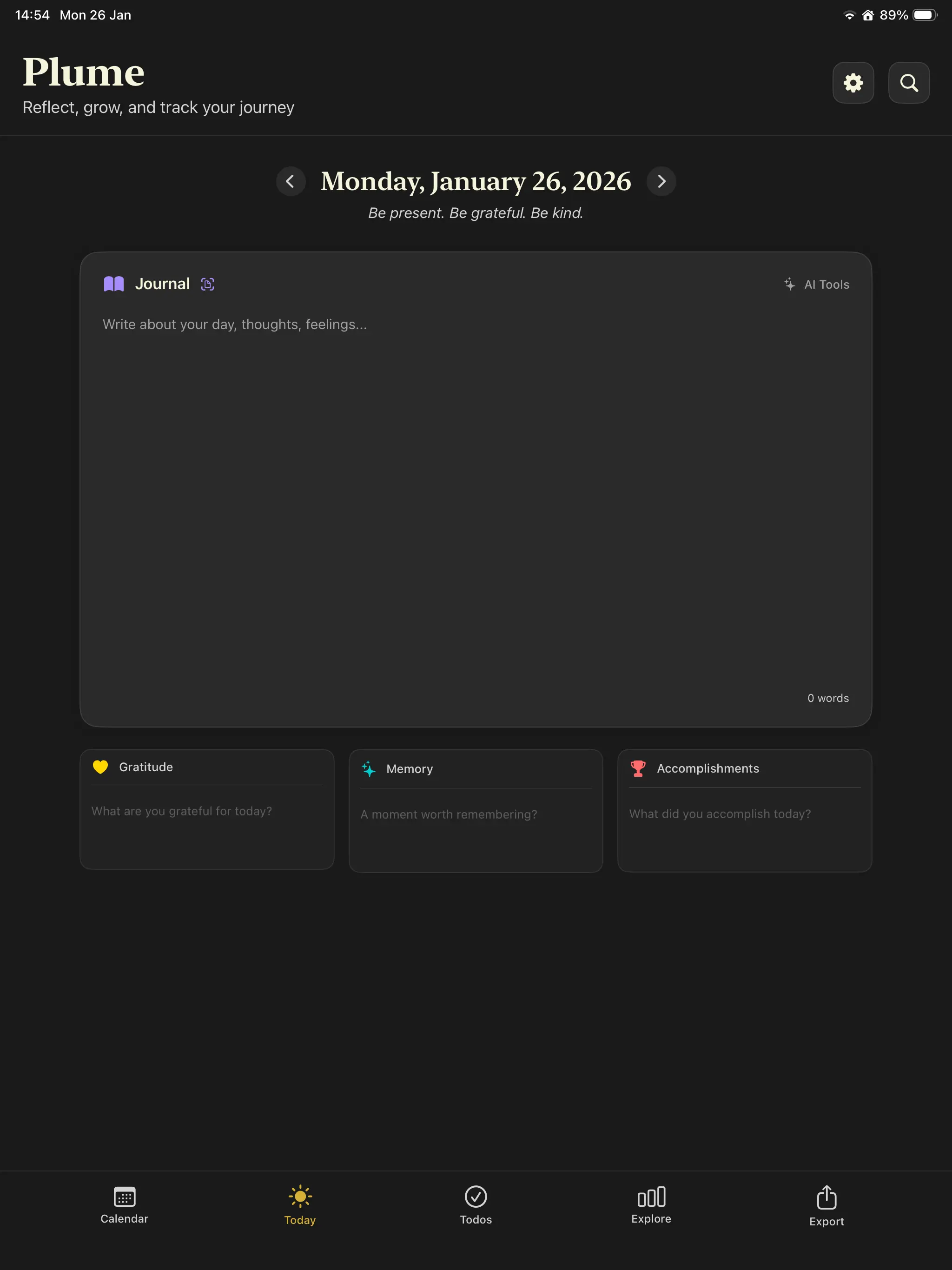
Day One gives you a blank page. That's liberating. Until it's paralyzing. Plume gently structures each day into four sections, each backed by positive psychology research. Use all four, or just one. The structure adapts to you.
Gratitude
What are you thankful for today? Proven to increase happiness by 10% or more.
Memory
Capture one vivid moment. Combats negativity bias by training attention on the good.
Accomplishments
What did you achieve? Builds self-efficacy and fights impostor syndrome.
Journal
Long-form reflection with full markdown support. Write as much or as little as you need.
See Plume in action
Every screen is designed to reduce visual noise and keep your focus on what matters.
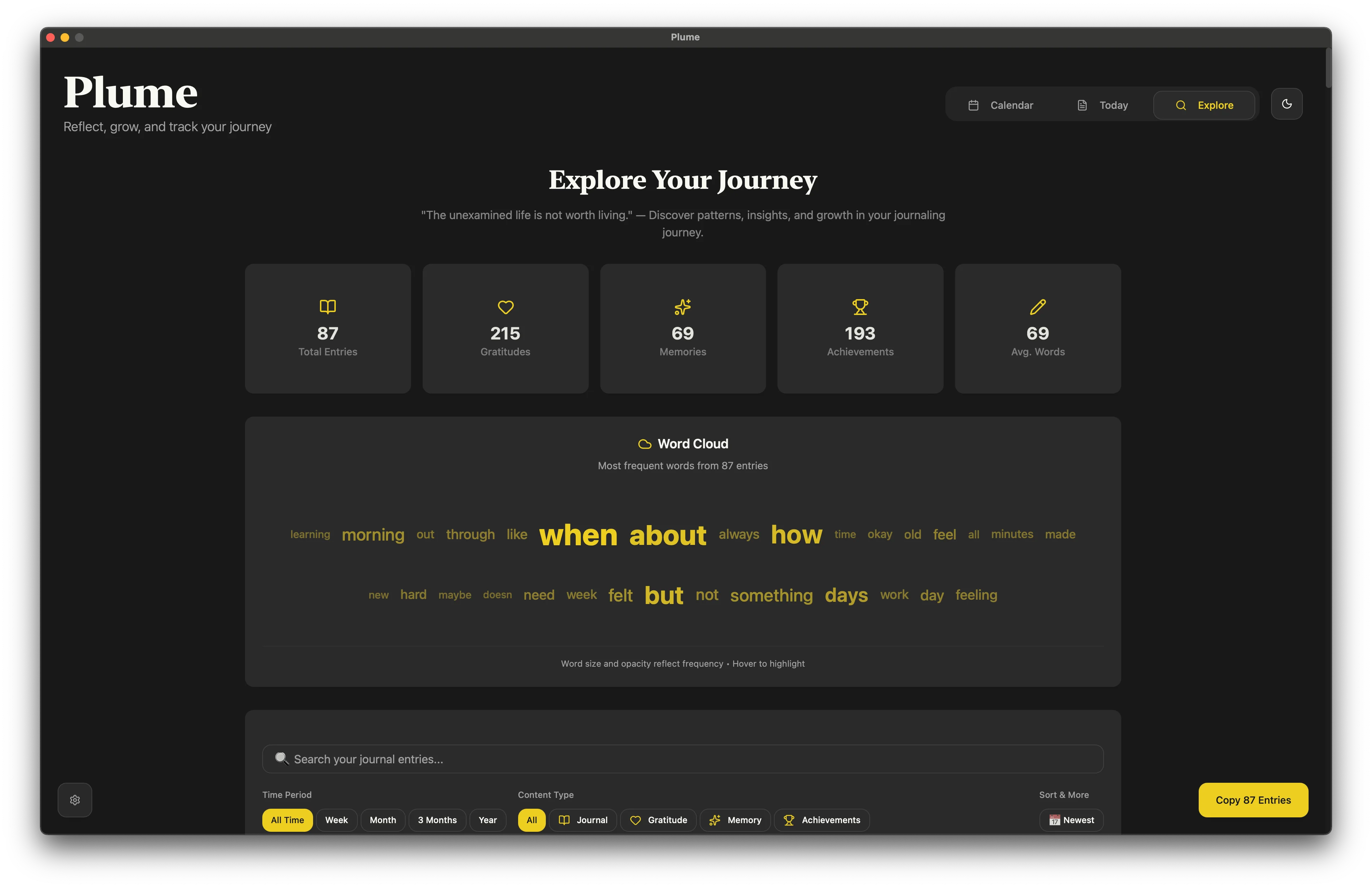
Plume vs Day One: a direct comparison
Both are great apps. Here's where they differ, and why it matters for your daily practice.
Zen Mode
Full-screen writing with live markdown highlighting, 4 ambient themes, 4 serif fonts, adjustable sizing, and inline word count. A true writing environment.
Focus Mode
Basic fullscreen editor. Hides the sidebar, but the toolbar and formatting options remain visible.
Guided daily structure
Every entry includes dedicated sections for Gratitude, Memory, Accomplishments, and long-form Journal. All built-in, no setup needed.
Blank canvas + templates
Offers a blank entry by default. Templates are available, but you need to create or find them and apply them manually each time.
Local-only, no account needed
Entries stored on-device. No account, no sign-up. Optional iCloud sync stays within Apple's ecosystem. Your data never touches third-party servers.
Local + cloud sync via Day One servers
Also stores entries locally. Sync goes through Day One's own servers (with optional E2E encryption). Requires an account and collects device/usage analytics.
$19.99/yr or $59.99 lifetime
A one-time lifetime purchase means your journal is truly yours. No recurring fees, no billing anxiety. Yearly plan also available at under $1.70/mo.
$49.99/yr subscription
Premium features require an ongoing subscription. If you stop paying, you lose access to sync, unlimited journals, and advanced features.
Bring your own AI
Choose from OpenAI, Claude, Gemini, Grok, or Mistral using your own API key. Improve language, summarize entries, or highlight important passages, with the provider you trust.
Built-in AI
AI features are tied to their own provider. No choice of model, no option to self-host or use a preferred service.
Integrated task management
Date-specific todos live alongside your journal entries. Add tasks from Zen Mode, track completion, and move items between days. Reflection and planning in one place.
No task management
Day One is purely a journal. To combine daily reflection with task planning, you need a separate app.
What makes Plume different
Your thoughts stay yours
Plume is local-first. Your journal entries live on your device in a local database. No account required, no sign-up, no cloud dependency.
If you want to sync across devices, Plume uses iCloud, keeping data within Apple's ecosystem rather than routing it through third-party servers.
Day One also stores data locally and offers end-to-end encryption for sync. But their sync routes through Day One's own servers, they require an account, and their privacy policy notes collection of device data, usage analytics, and location approximations. Plume collects none of that.
AI that respects your choices
Most journal apps lock you into one AI provider, or offer no AI at all. Plume lets you bring your own API key from any major provider: OpenAI, Claude, Gemini, Grok, or Mistral.
Use AI to improve your language, summarize long entries, highlight important passages, or get resource recommendations. Select specific text or apply tools to the entire entry.
Your API key, your data, your choice of model. No middleman. No data harvesting.
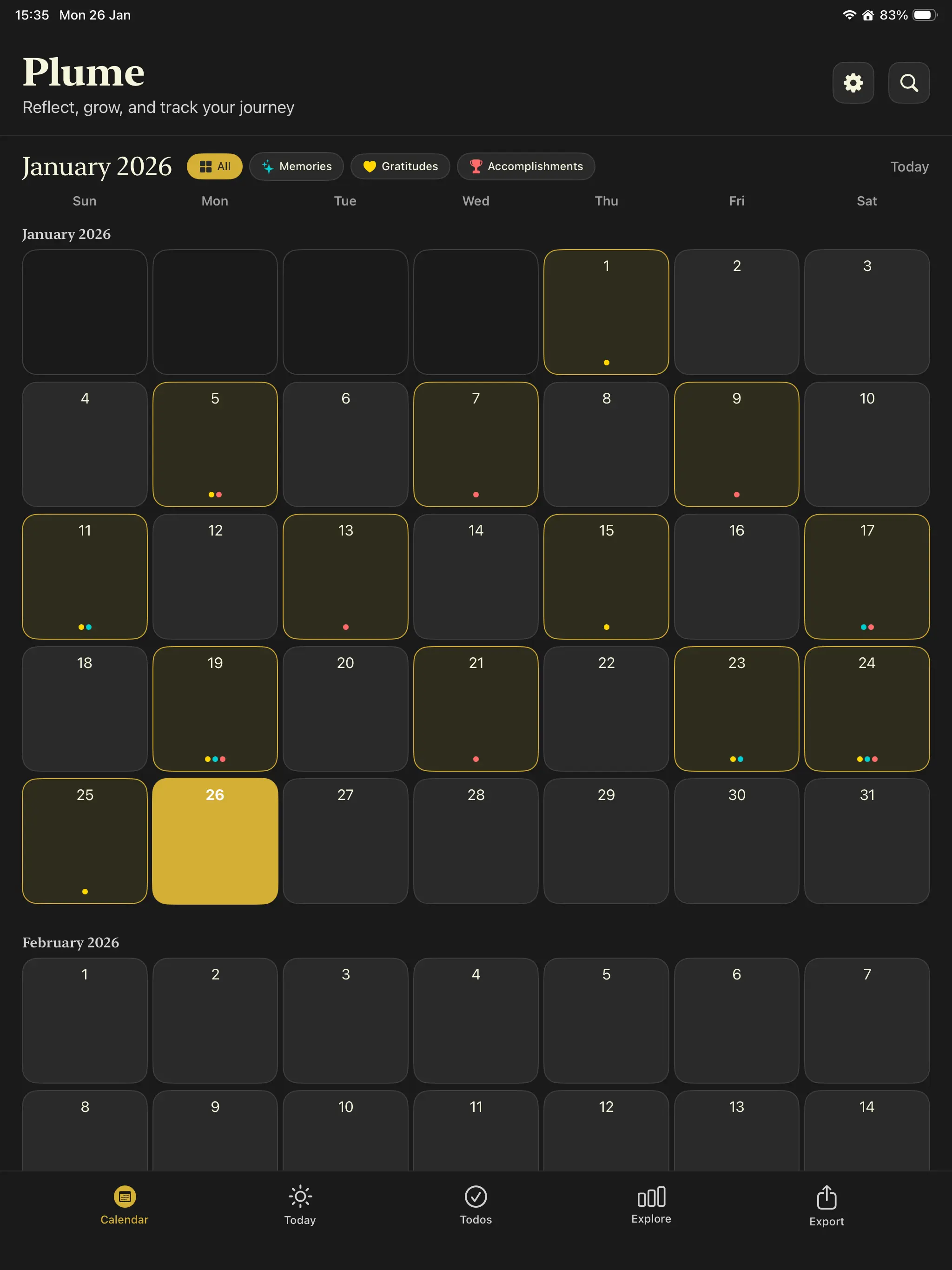
A calendar that tells your story
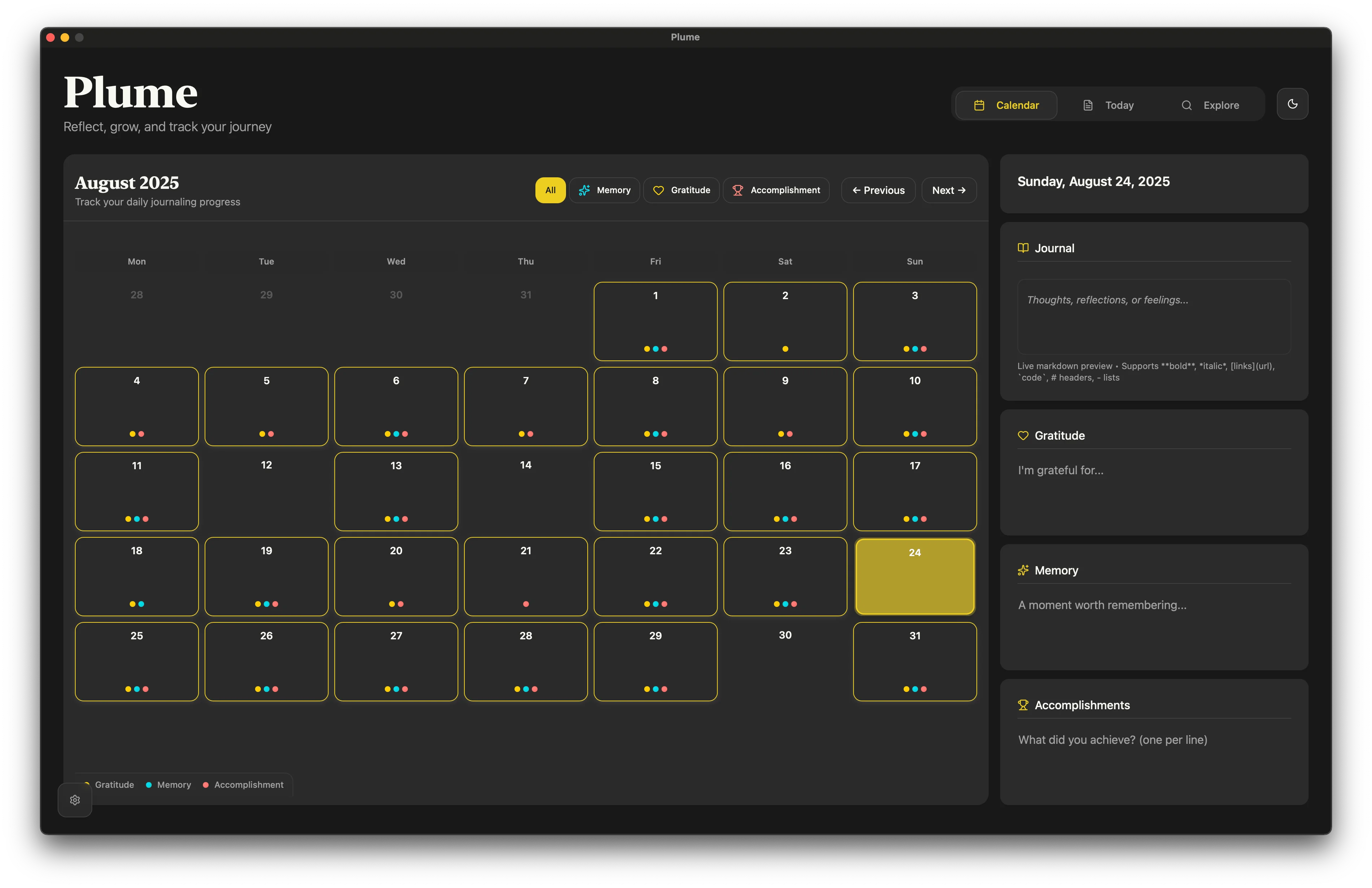
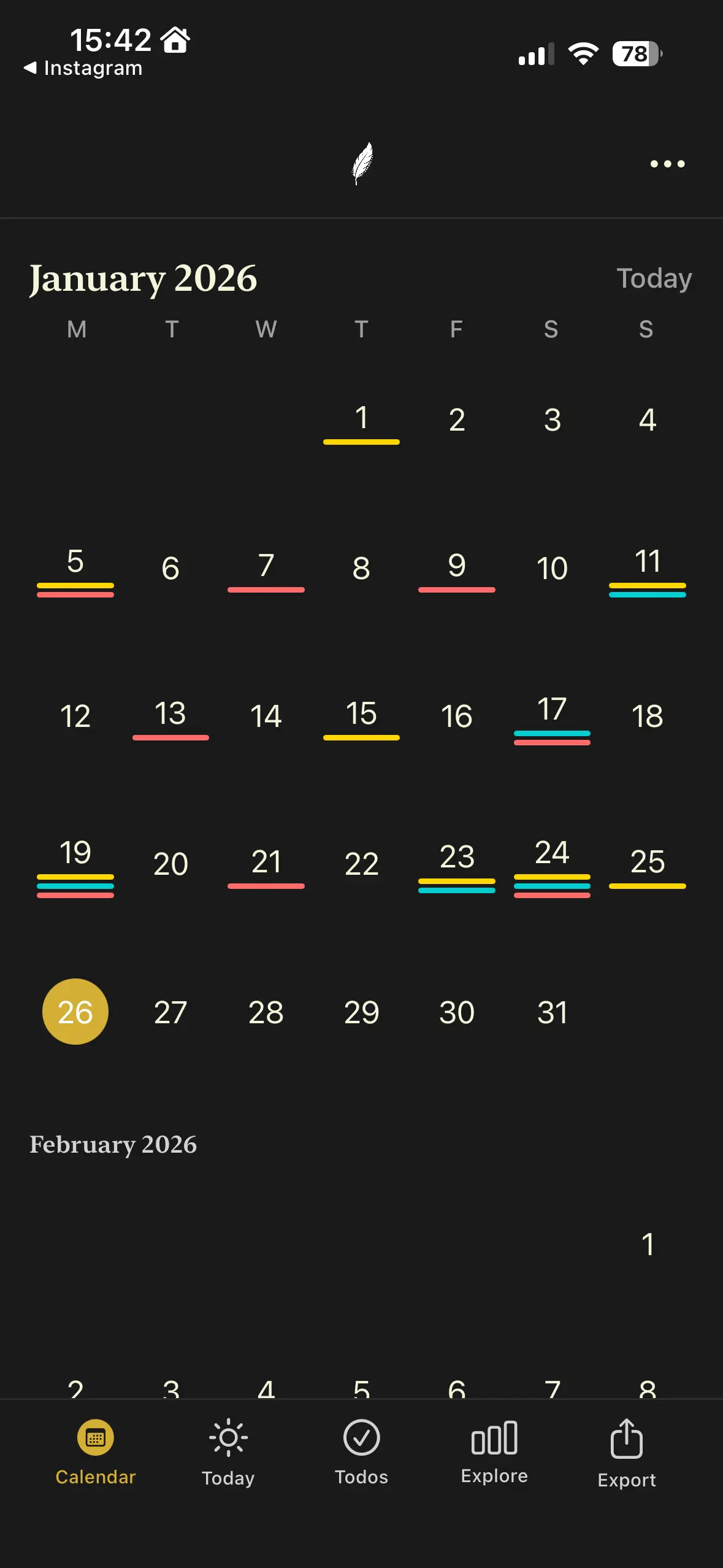
Plume's calendar isn't just navigation. It's a visual history of your inner life. Color-coded dots show at a glance which days you wrote gratitudes (gold), captured memories (turquoise), or logged accomplishments (coral).
Filter by entry type to spot patterns. Did gratitude practice dip in November? Did accomplishments peak after you started exercising? The calendar makes the invisible visible.
Adaptive layouts for every screen size: two-column split on Mac, infinite scroll on iPhone, detail panel on iPad.
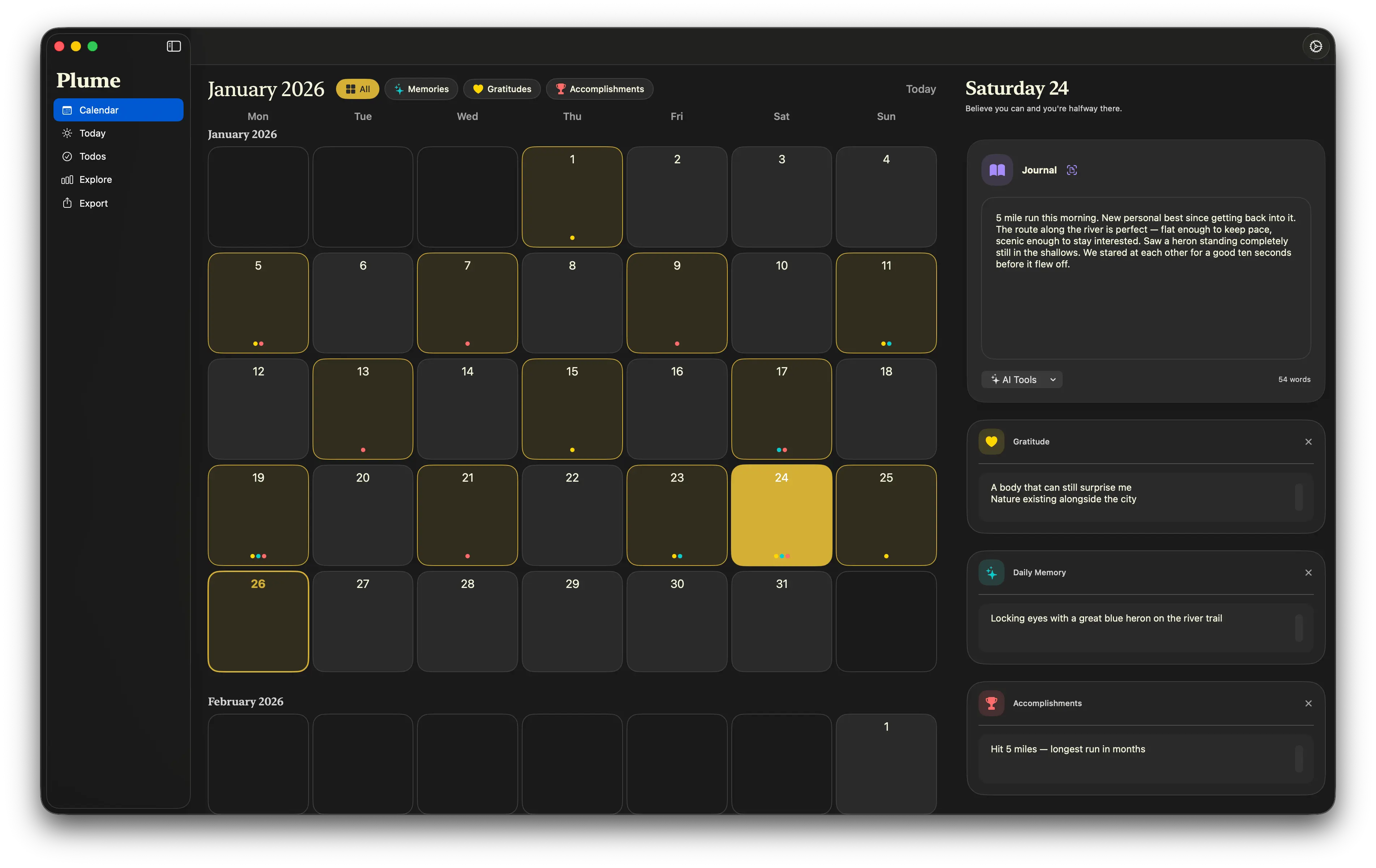
Beautiful on every device
Native on Mac, iPad, and iPhone. Not a web wrapper. A real app designed for each platform.
Simple, honest pricing
Both plans start with the same free trial: 21 writing days, every feature unlocked, no account and no card. Only the days you actually write count, and when it ends Plume goes read-only rather than locking you out.
Ready for a calmer journaling experience?
Free for your first 21 writing days. Try Zen Mode, write your first structured entry, and feel the difference a decluttered space makes. No account required.