 Plume
Plume
A free journaling app for macOS — and here's exactly what's free
Most “free” journaling apps on the Mac cap your entries, lock the good writing mode, or ask you to sign up before you can type a word. Plume doesn't. Download it from the Mac App Store, open it, and start writing — unlimited entries, Zen Mode, calendar, todos, AI, app lock and export are all free, forever. Two things are paid: iCloud sync and the Analytics dashboard. That's the whole story, and this page lists every line of it.
Plume is free to download on macOS and free to use as a complete journal. There is no entry limit, no daily prompt limit, no watermark, no account, and no ads. The paid upgrade ($14.99/year or $59.99 once) unlocks exactly two things: encrypted iCloud sync across your Mac, iPhone and iPad, and the Analytics & Insights dashboard. Both are also unlocked free for your first 30 days, so you can decide with real data instead of a screenshot.
Everything that's free in Plume for Mac
Not a stripped-down trial build — this is the full writing app. Every item below works on a Mac that has never paid a cent, and keeps working after the trial period ends.
Unlimited journaling
- ✓Unlimited entries — no cap per day, month or lifetime
- ✓Unlimited words per entry
- ✓Markdown formatting as you type
- ✓Autosave — nothing to remember to press
- ✓Live word and character counts
The full structure
- ✓Gratitudes — as many per day as you want
- ✓Memory of the day
- ✓Accomplishments list
- ✓Free-form journal section
- ✓Mood tracking
- ✓Show, hide or reorder any section
Zen Mode, unlocked
- ✓Full-screen distraction-free writing
- ✓Multiple themes and serif writing fonts
- ✓Global hotkey (default ⌃⌥⌘T) from any app
- ✓Optional menu bar icon for instant capture
- ✓Focus Todos hotkey (⌃⌥⌘D)
Calendar & search
- ✓Full calendar view, color-coded by entry type
- ✓Filter by gratitude, memory or accomplishment
- ✓Full-text search across your whole journal
- ✓Jump to any past day, edit it freely
- ✓Writing streaks on the Today screen
Todos & goals
- ✓Unlimited date-linked todos beside each entry
- ✓Carry-over and completion tracking
- ✓Goals — the forward-looking view
- ✓Work Timeline — turn your local Git commits into a record of what you actually shipped
Library & custom prompts
- ✓Built-in question packs for when the page is blank
- ✓Edit any question, write your own
- ✓Custom prompts saved for daily reuse
- ✓Daily quote on the Today screen
AI with your own key
- ✓Bring your own key: OpenAI, Claude, Gemini, Grok, Mistral, or any OpenAI-compatible endpoint
- ✓Summaries and reflections on your entries
- ✓Apple Intelligence support on supported Macs
- ✓No Plume subscription needed — you pay your provider directly, or nothing at all if you skip AI
Dictation, speech & OCR
- ✓Speech-to-text dictation into any field
- ✓Voice commands to drive the app hands-free
- ✓Text-to-speech playback of your entries
- ✓OCR — pull text out of a photo of a paper page
Local-first & locked
- ✓100% local storage on your Mac by default
- ✓No account, no sign-up, no email
- ✓Touch ID / password app lock
- ✓No ads, no trackers in your journal, nothing sold
- ✓Works fully offline, on a plane, forever
Import & export
- ✓Encrypted export of every entry and todo, passphrase-protected
- ✓Re-import on any Mac — your own free backup route
- ✓Import a folder of .md / .txt files
- ✓Day One importer built in
- ✓Delete everything, permanently, in one action
Feels like a Mac app
- ✓Native SwiftUI, no Electron, no web wrapper
- ✓Light and dark mode, multiple themes
- ✓Keyboard shortcuts throughout
- ✓Menu bar quick access
- ✓Local reminders to keep the streak alive
The rest of the ecosystem
- ✓The iPhone and iPad apps are free too
- ✓Home screen widgets (todos, activity heatmap)
- ✓Siri & Shortcuts integration
- ✓Full English and French interface
- ✓Every future free-tier improvement, at no cost
Free vs paid, line by line
We'd rather you find the paywall on this page than three weeks into a habit. Here is the complete split.
| Feature on macOS | Free | Paid |
|---|---|---|
| Unlimited entries & words | ✓ | included |
| Gratitude, Memory, Accomplishments, Journal | ✓ | included |
| Mood tracking | ✓ | included |
| Zen Mode (themes, fonts, global hotkey) | ✓ | included |
| Calendar view & filters | ✓ | included |
| Full-text search | ✓ | included |
| Todos & Goals | ✓ | included |
| Library question packs & custom prompts | ✓ | included |
| Work Timeline (Git activity) | ✓ | included |
| AI with your own API key | ✓ | included |
| Dictation, voice commands, TTS, OCR | ✓ | included |
| Touch ID / password app lock | ✓ | included |
| Encrypted export & import (incl. Day One) | ✓ | included |
| Widgets, Siri & Shortcuts | ✓ | included |
| Menu bar icon & keyboard shortcuts | ✓ | included |
| Encrypted iCloud sync (Mac ↔ iPhone ↔ iPad) | 30-day trial | ✓ |
| Analytics & Insights (streaks, word cloud, patterns) | 30-day trial | ✓ |
| Ads or trackers | none | none |
| Account required | no | no |
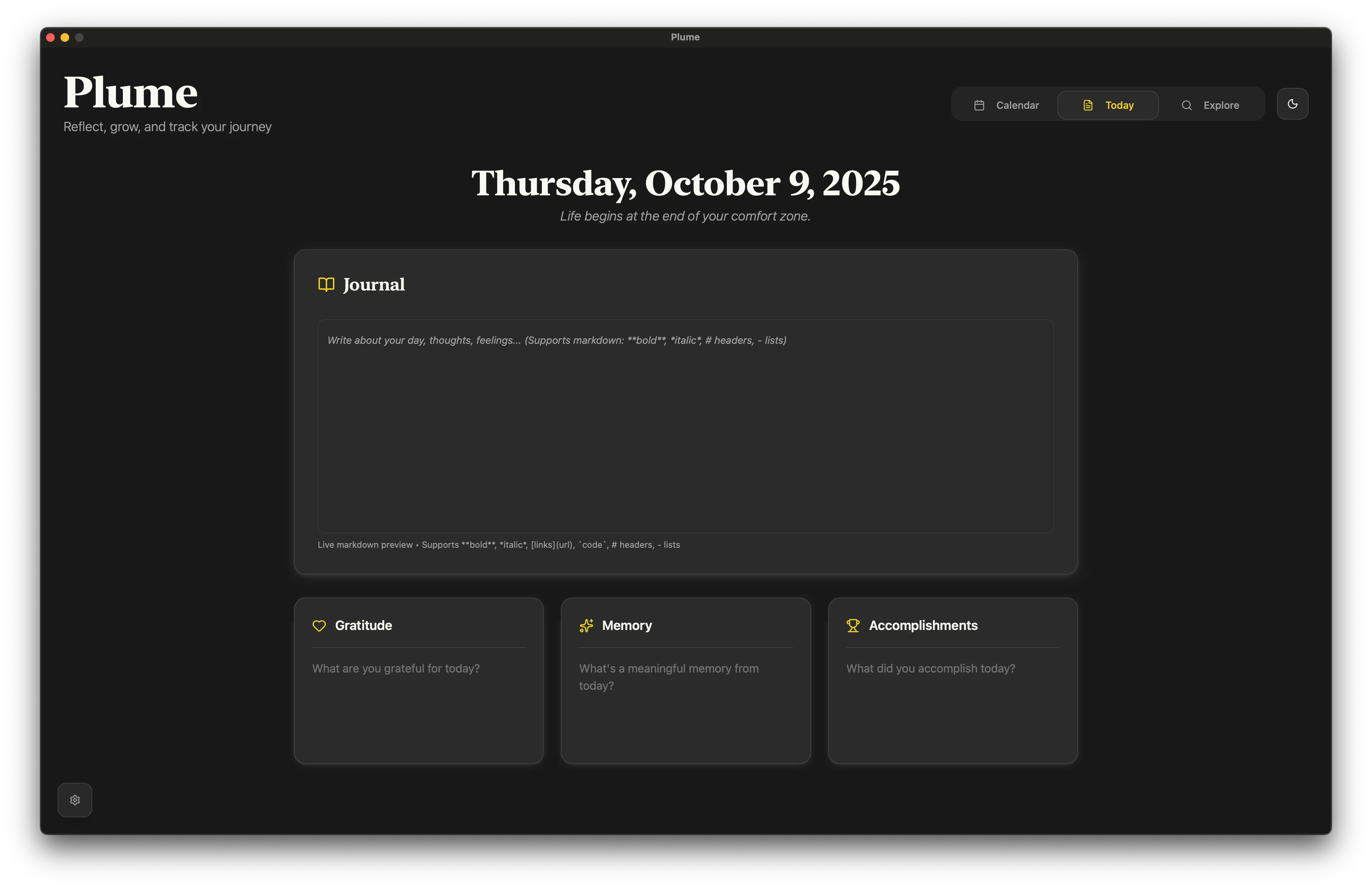
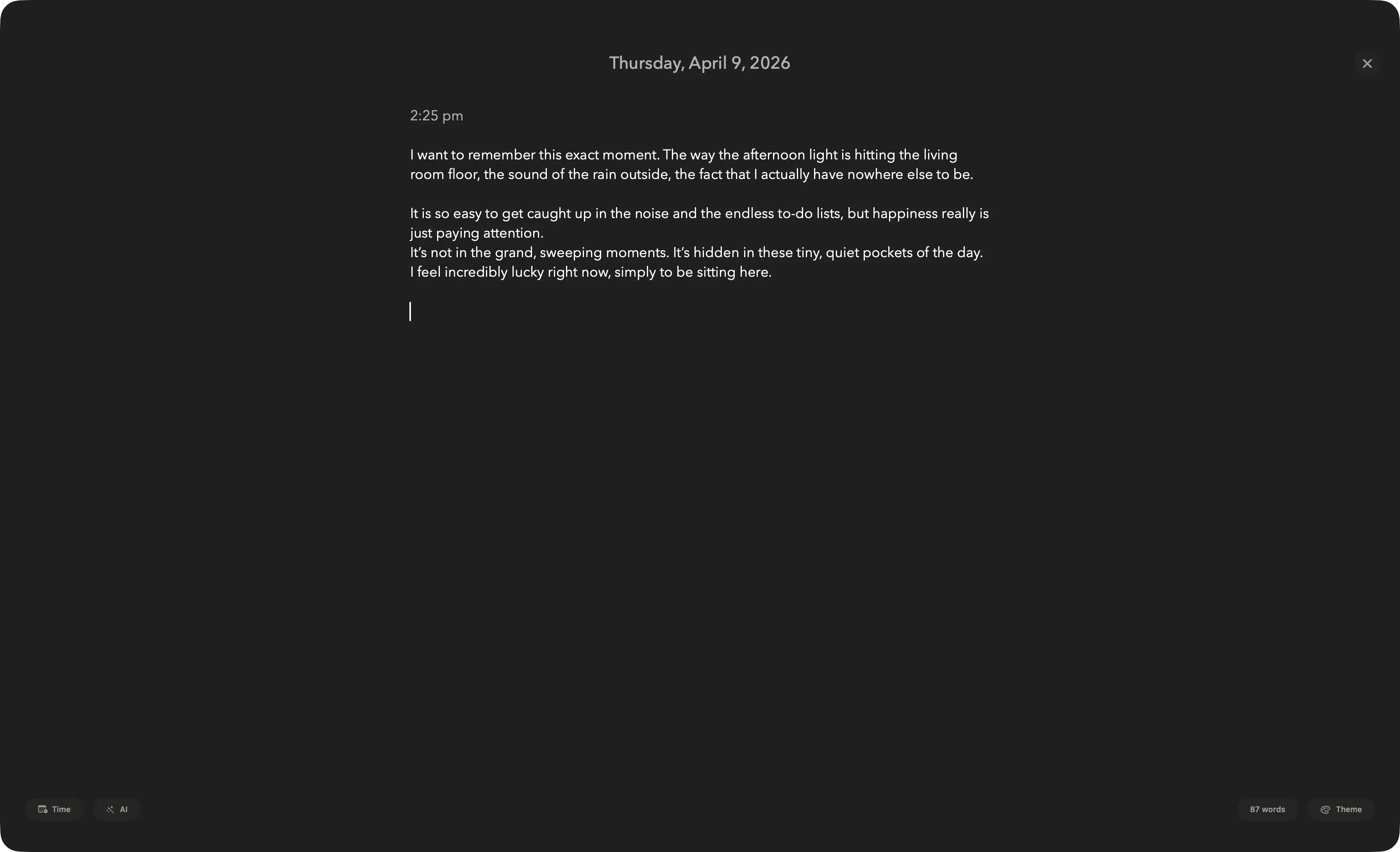
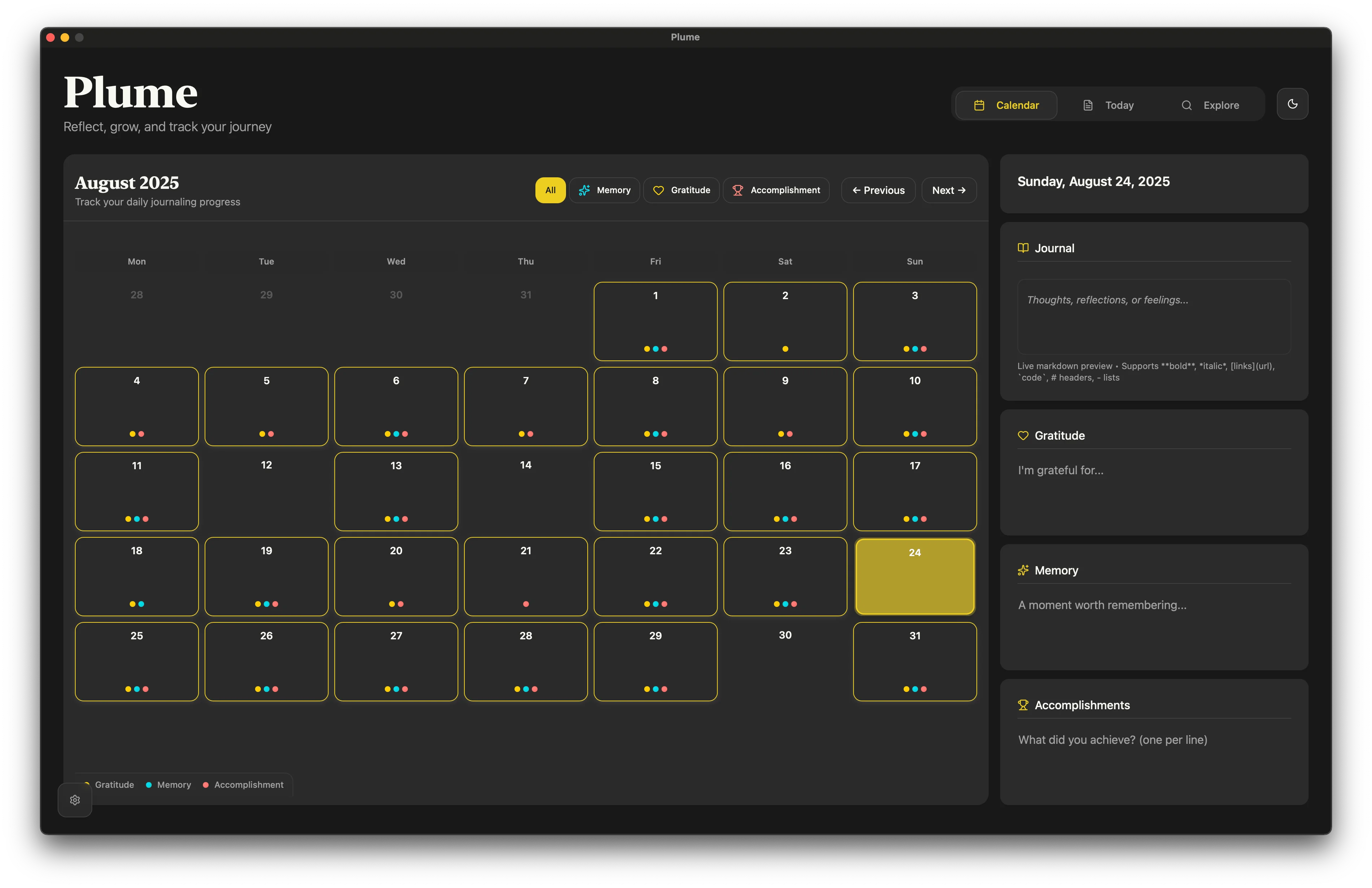
What the free version looks like on a Mac
No locked panels, no upgrade banners across the writing surface. Click any shot to enlarge.
Why so much is free
A journal you can't open isn't a journal
Habits die at friction. Metering entries or hiding the focus mode behind a card form is a good way to make sure the habit never starts. So the writing side is simply free.
Local costs us nothing
Your entries live in a local database on your Mac. There's no server holding your journal, so there's no per-user cost to recoup, and no reason to charge you rent for writing.
You pay for reach, not for access
The paid tier covers multi-device sync and the analytics work — genuine extras. It funds development. Nothing is funded by ads, data, or selling anything about you.
And if you do want to upgrade
Entirely optional. Your free journal keeps working exactly as it is if you never do.
Frequently asked questions
Is Plume really free on macOS?
Yes. Download it from the Mac App Store at no cost and use it as a complete journal indefinitely. There is no entry limit and no time limit on the writing features. Two features — iCloud sync and the Analytics dashboard — are a paid upgrade, and they're unlocked free for your first 30 days.
Do I need an account or an email address?
No. There is no sign-up, no login, and no email collection. You open the app and write. Your journal is stored locally on your Mac.
Is the free version limited to a few entries per day?
No. Entries, gratitudes, accomplishments, todos and words are all unlimited on the free tier.
Is Zen Mode free?
Yes. Full-screen distraction-free writing, the writing themes and fonts, and the global hotkey (⌃⌥⌘T by default) are all included free.
Are the AI features free?
The AI features in Plume cost nothing extra from us — you connect your own API key from OpenAI, Claude, Gemini, Grok, Mistral or any OpenAI-compatible endpoint, and you're billed by that provider for what you use. On supported Macs, Apple Intelligence runs on-device. If you never add a key, the rest of the app works exactly the same.
What happens after the 30-day trial ends?
Nothing is taken away from your writing. iCloud sync and the Analytics dashboard stop until you upgrade; every entry, todo and setting stays exactly where it is and stays editable.
Can I back up my journal without paying for sync?
Yes. The free tier includes a full passphrase-encrypted export of all your entries and todos, which you can store wherever you like and re-import at any time. Paid sync is about live multi-device continuity, not about holding your backups hostage.
Does the free version show ads or sell my data?
Neither. There are no ads anywhere in the app and your journal content is never sent to us — it stays on your Mac unless you enable iCloud sync, which goes to your own iCloud account. See how the privacy works.
Is the iPhone and iPad app free too?
Yes, same app, same free tier. Note that keeping the same journal live on several devices at once is what iCloud sync does, and that part is the paid upgrade.
Which macOS version do I need?
Plume is a native SwiftUI app for recent versions of macOS, distributed through the Mac App Store. If your Mac can install it from the store, it will run.
How does it compare to other free options?
Apple Journal is free but has no Mac app — see Plume vs Apple Journal. Day One's free tier is far more limited than its paid one — see the Day One alternative comparison. Or browse the full roundup.
Start writing on your Mac in under a minute
Free download, no account, no card, no entry limit. Write today's gratitude, memory and accomplishment, and see whether the ritual sticks before you spend anything.